Preview
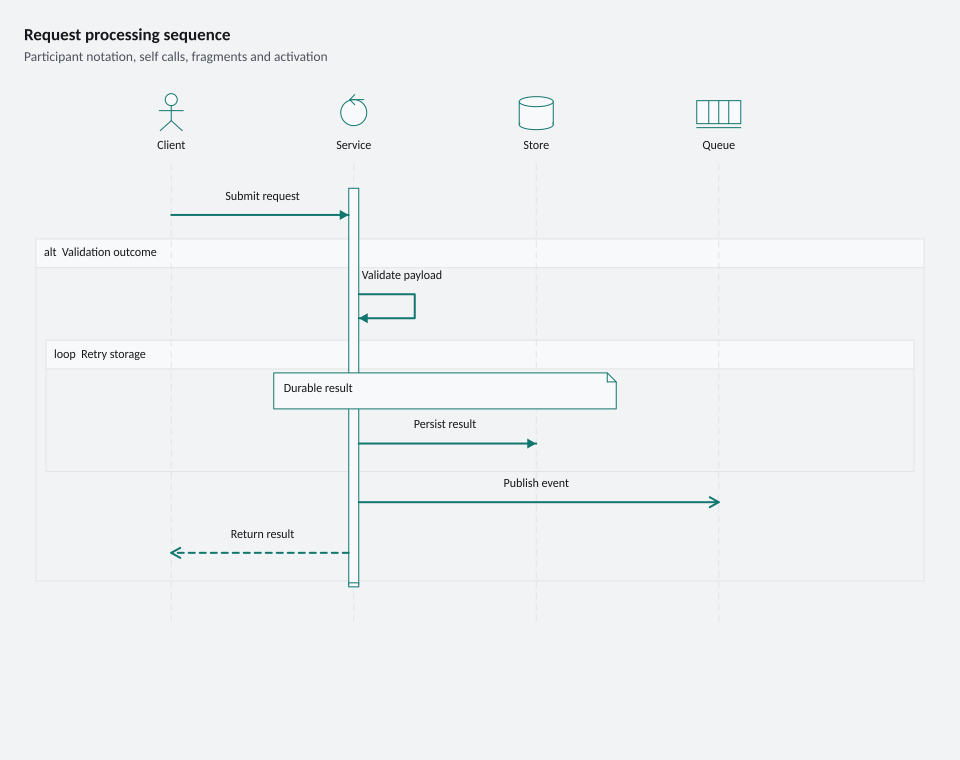
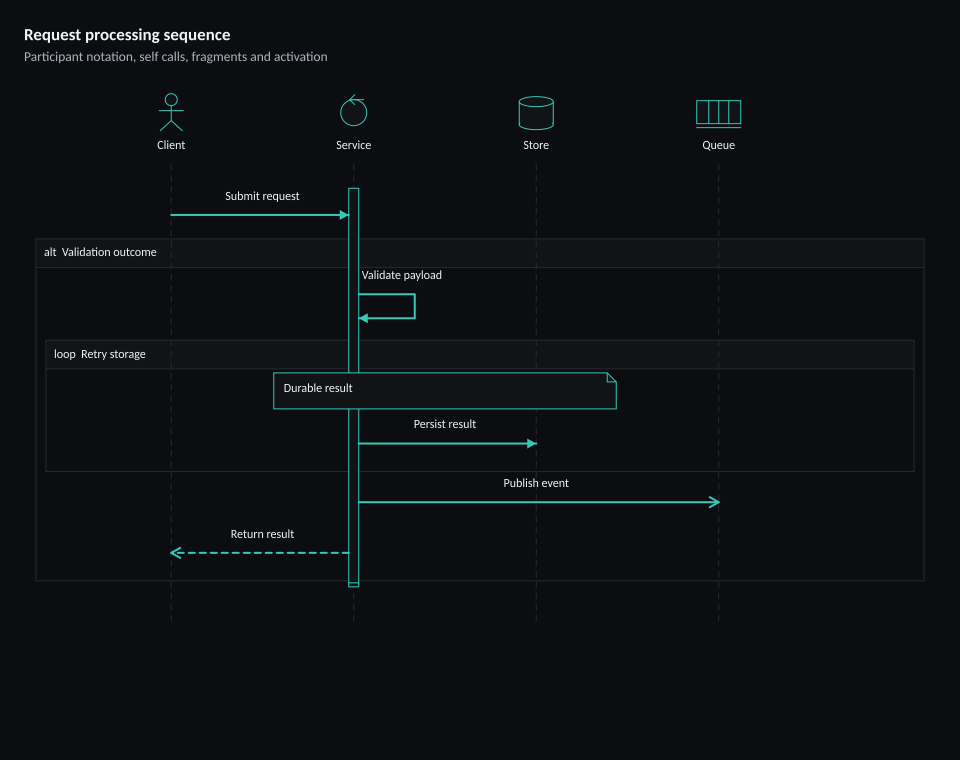
960 × 760 pixels
Create this example
Create a console project, add the ChartForgeX package, and replace Program.cs with this source. Run it to write SVG, PNG and HTML with the default system fonts.
For the same typography as the gallery, download the gallery-font recipe and copy the gallery’s fonts directory beside your program.
using System;
using System.Collections.Generic;
using System.Globalization;
using System.IO;
using System.Linq;
using ChartForgeX.Core;
using ChartForgeX.Primitives;
using ChartForgeX.Rendering;
using ChartForgeX.Themes;
using ChartForgeX.Topology;
using ChartForgeX.Typography;
using ChartForgeX.VisualArtifacts;
using ChartForgeX.VisualBlocks;

var mode = VisualThemeMode.Light;
var theme = VisualTheme.Graphite();
var model = SequenceRecipe.Create("expanded", mode);
var context = new VisualRenderContext(
    new VisualLayoutOptions(new VisualSize(960, 760)), theme, mode,
    new VisualFrame("Request processing sequence", "Participant notation, self calls, fragments and activation", showLegend: false, showSurface: false));
var prepared = model.Prepare(context);
File.WriteAllText("visual.svg", prepared.ToSvg());
File.WriteAllBytes("visual.png", prepared.ToPng());
File.WriteAllText("visual.html", prepared.ToArtifact("example", VisualArtifactKind.Sequence).ToHtmlPage());

/// <summary>Creates a request sequence with participant notation, fragments, notes and activation.</summary>
public static class SequenceRecipe {
    /// <summary>Creates the expanded request-processing sequence model.</summary>
    /// <param name="variant">Use wide or expanded for the sequence.</param>
    /// <param name="mode">The rendering mode; diagram colors are resolved when the model is prepared.</param>
    public static SequenceArtifact Create(string variant = "wide", VisualThemeMode mode = VisualThemeMode.Light) {
        if (variant is not ("wide" or "expanded"))
            throw new ArgumentOutOfRangeException(nameof(variant), variant, "Use wide or expanded.");

        var model = SequenceArtifact.Create("request-sequence").WithSize(960, 760)
            .AddParticipant("client", "Client", SequenceArtifactParticipantKind.Actor)
            .AddParticipant("service", "Service", SequenceArtifactParticipantKind.Control)
            .AddParticipant("store", "Store", SequenceArtifactParticipantKind.Database)
            .AddParticipant("queue", "Queue", SequenceArtifactParticipantKind.Queue)
            .AddMessage("client", "service", "Submit request")
            .AddMessage("service", "service", "Validate payload")
            .AddMessage("service", "store", "Persist result")
            .AddMessage("service", "queue", "Publish event", kind: SequenceArtifactMessageKind.Async)
            .AddMessage("service", "client", "Return result", SequenceArtifactMessageLineStyle.Dashed, SequenceArtifactMessageKind.Return)
            .AddBlock(SequenceArtifactBlockKind.Alt, "Validation outcome", 1, 4)
            .AddBlock(SequenceArtifactBlockKind.Loop, "Retry storage", 2, 2, depth: 1)
            .AddActivation("service", true, 0)
            .AddActivation("service", false, 5)
            .AddNote(SequenceArtifactNotePlacement.Over, new[] { "service", "store" }, "Durable result");
        model.Notes[0].StepIndex = 2;
        return model;
    }
}
using System;
using System.Collections.Generic;
using System.Globalization;
using System.IO;
using System.Linq;
using ChartForgeX.Core;
using ChartForgeX.Primitives;
using ChartForgeX.Rendering;
using ChartForgeX.Themes;
using ChartForgeX.Topology;
using ChartForgeX.Typography;
using ChartForgeX.VisualArtifacts;
using ChartForgeX.VisualBlocks;

var mode = VisualThemeMode.Dark;
var theme = VisualTheme.Graphite();
var model = SequenceRecipe.Create("expanded", mode);
var context = new VisualRenderContext(
    new VisualLayoutOptions(new VisualSize(960, 760)), theme, mode,
    new VisualFrame("Request processing sequence", "Participant notation, self calls, fragments and activation", showLegend: false, showSurface: false));
var prepared = model.Prepare(context);
File.WriteAllText("visual.svg", prepared.ToSvg());
File.WriteAllBytes("visual.png", prepared.ToPng());
File.WriteAllText("visual.html", prepared.ToArtifact("example", VisualArtifactKind.Sequence).ToHtmlPage());

/// <summary>Creates a request sequence with participant notation, fragments, notes and activation.</summary>
public static class SequenceRecipe {
    /// <summary>Creates the expanded request-processing sequence model.</summary>
    /// <param name="variant">Use wide or expanded for the sequence.</param>
    /// <param name="mode">The rendering mode; diagram colors are resolved when the model is prepared.</param>
    public static SequenceArtifact Create(string variant = "wide", VisualThemeMode mode = VisualThemeMode.Light) {
        if (variant is not ("wide" or "expanded"))
            throw new ArgumentOutOfRangeException(nameof(variant), variant, "Use wide or expanded.");

        var model = SequenceArtifact.Create("request-sequence").WithSize(960, 760)
            .AddParticipant("client", "Client", SequenceArtifactParticipantKind.Actor)
            .AddParticipant("service", "Service", SequenceArtifactParticipantKind.Control)
            .AddParticipant("store", "Store", SequenceArtifactParticipantKind.Database)
            .AddParticipant("queue", "Queue", SequenceArtifactParticipantKind.Queue)
            .AddMessage("client", "service", "Submit request")
            .AddMessage("service", "service", "Validate payload")
            .AddMessage("service", "store", "Persist result")
            .AddMessage("service", "queue", "Publish event", kind: SequenceArtifactMessageKind.Async)
            .AddMessage("service", "client", "Return result", SequenceArtifactMessageLineStyle.Dashed, SequenceArtifactMessageKind.Return)
            .AddBlock(SequenceArtifactBlockKind.Alt, "Validation outcome", 1, 4)
            .AddBlock(SequenceArtifactBlockKind.Loop, "Retry storage", 2, 2, depth: 1)
            .AddActivation("service", true, 0)
            .AddActivation("service", false, 5)
            .AddNote(SequenceArtifactNotePlacement.Over, new[] { "service", "store" }, "Durable result");
        model.Notes[0].StepIndex = 2;
        return model;
    }
}